 TPxi Go
 · for TouchPoint® ChMS
Your church contacts,
everywhere you work.
Look up anyone in TouchPoint®, log calls and emails, right from Outlook, Teams, Gmail and your phone. No tab switching, no lost context. Made for churches running TouchPoint® church management software (ChMS).
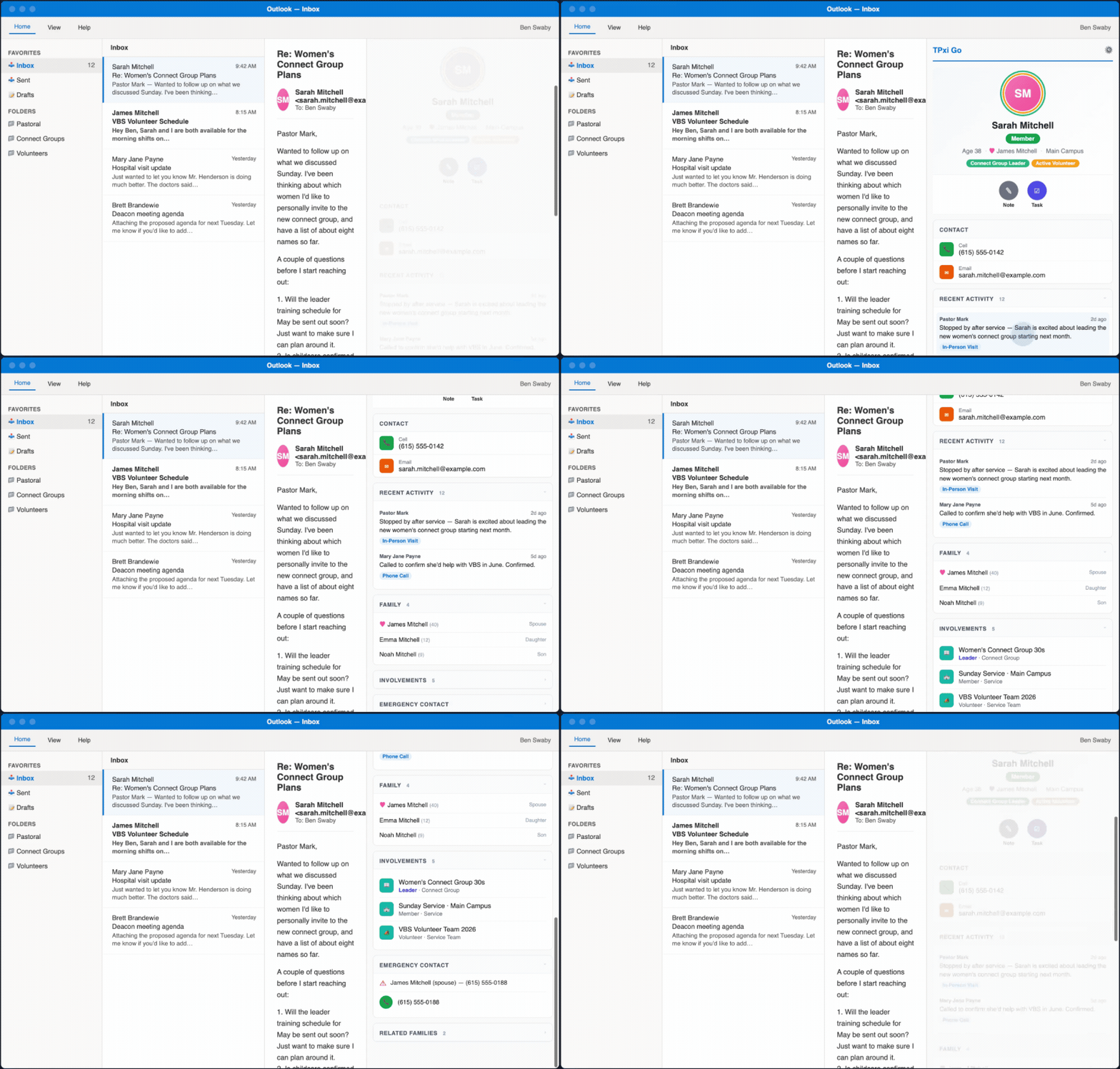
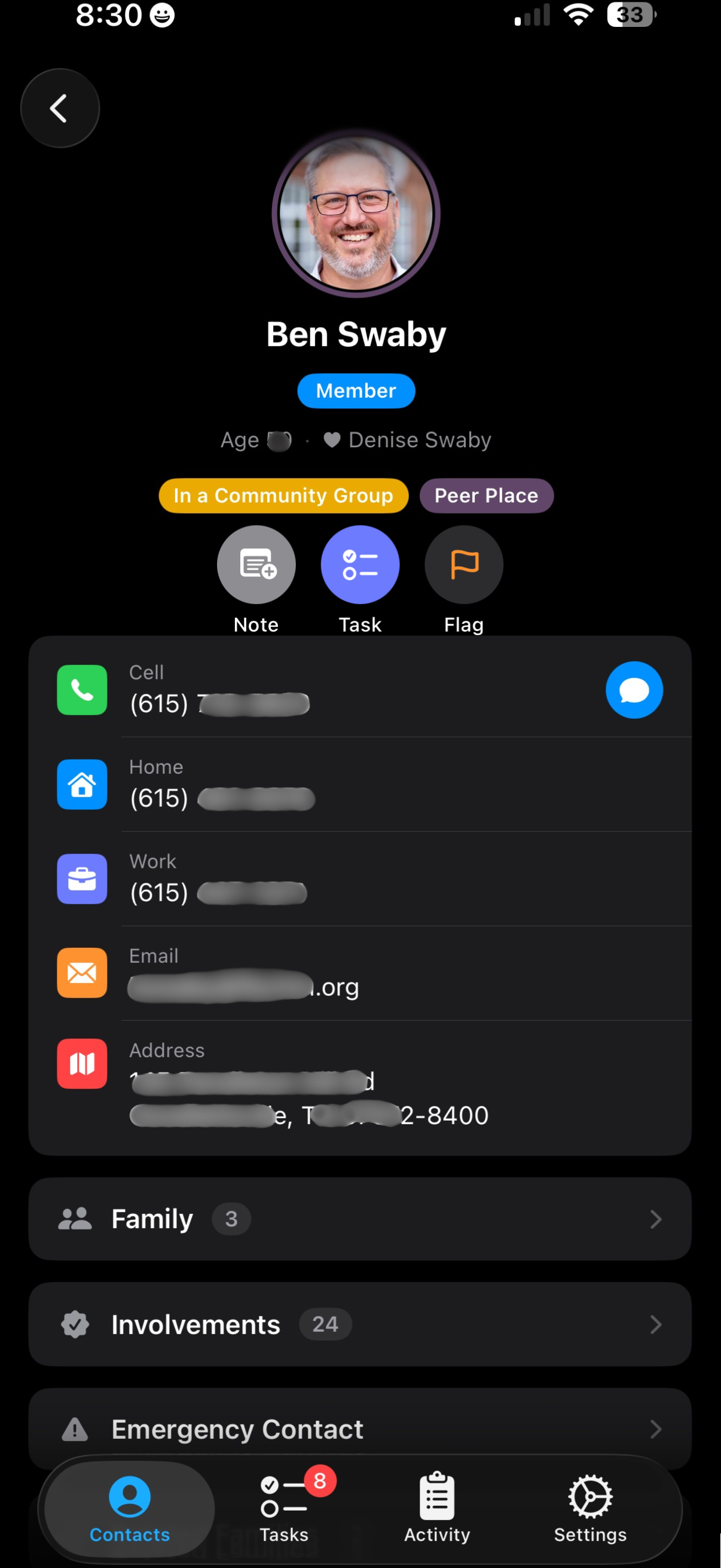
Works with Outlook Desktop, Mobile, and OWA. Requires Microsoft 365.
Works where you work
One subscription, every place your staff already is.
Chrome / Edge Extension
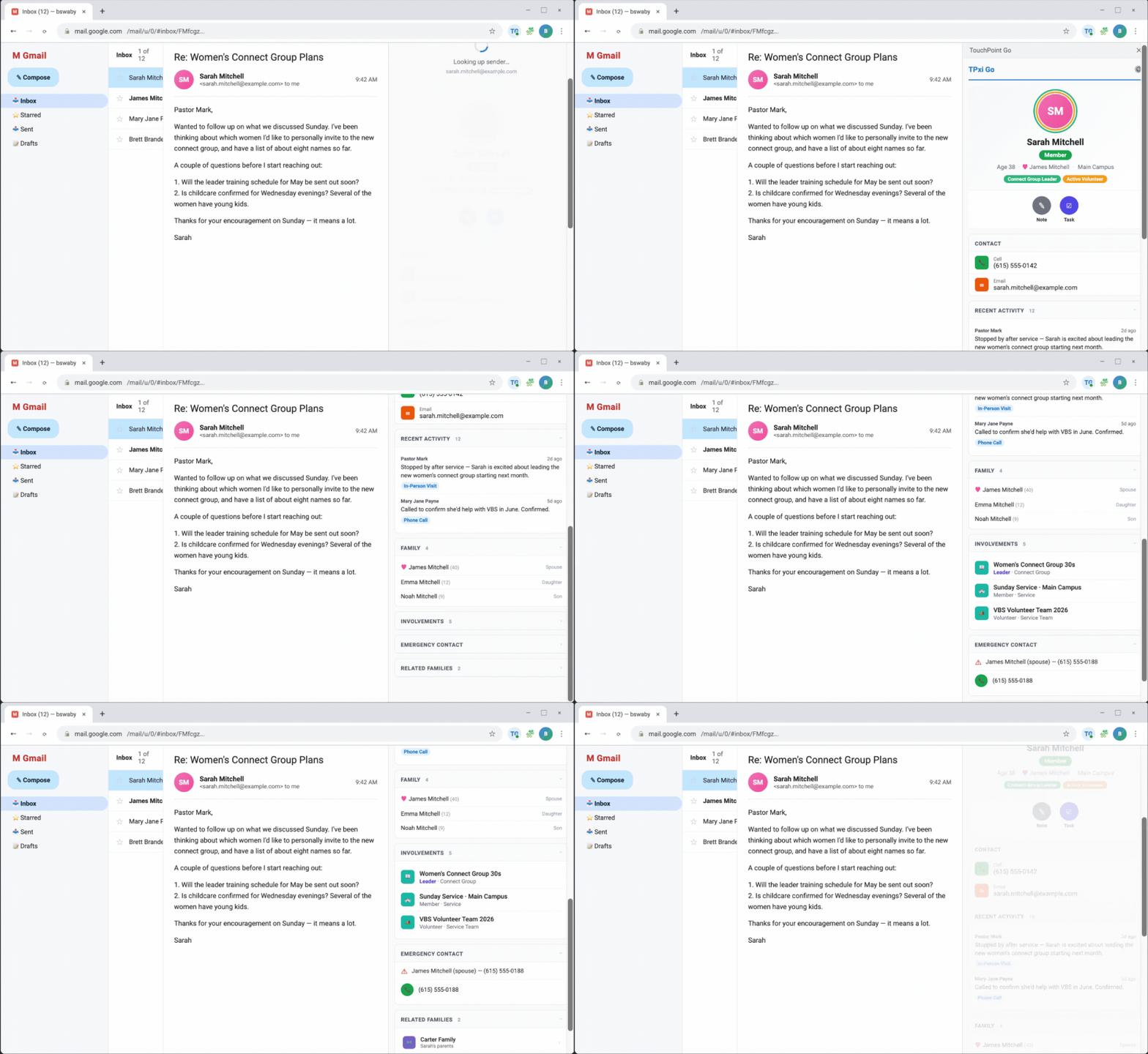
Auto-detects sender in Gmail. Manual search works on any site.
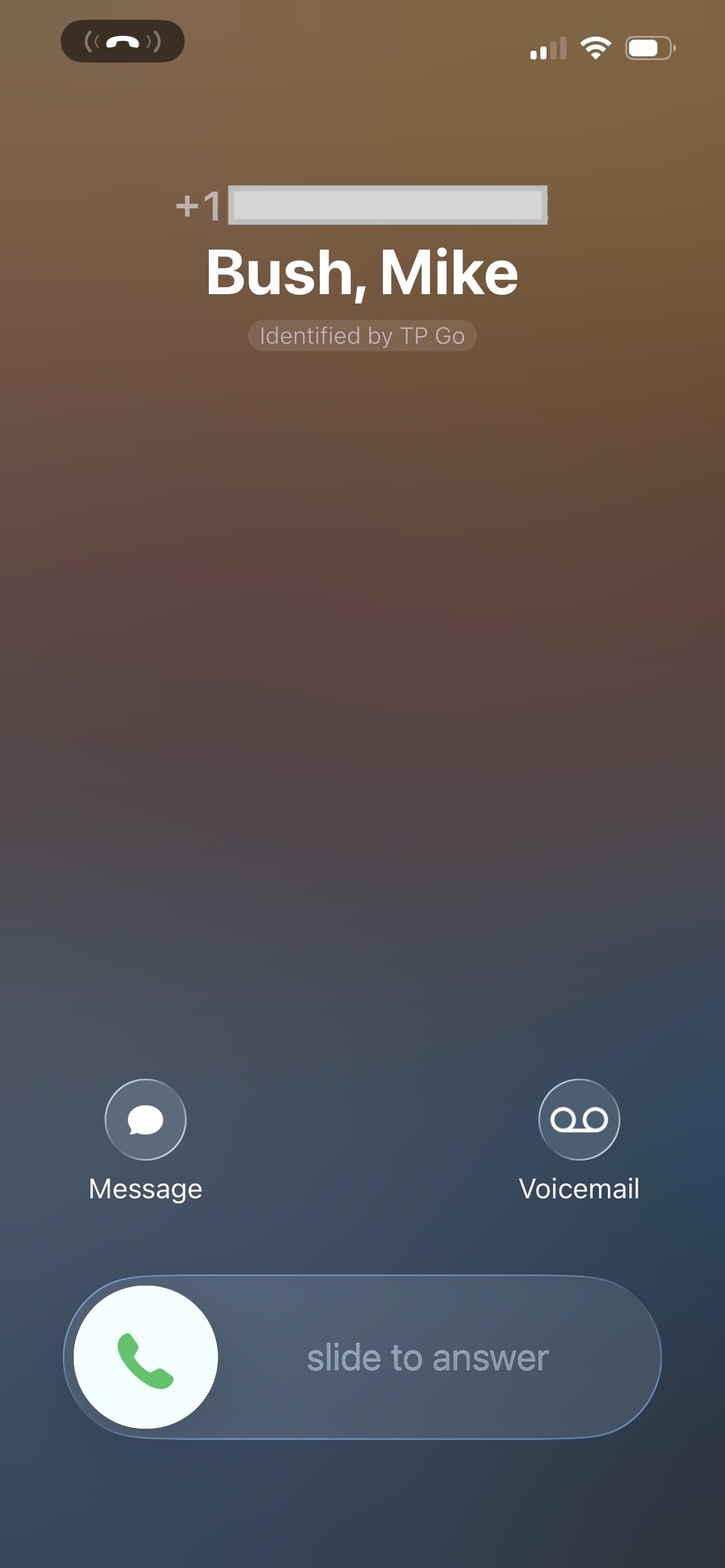
Caller ID
The iOS and Android apps identify incoming church contacts.
Siri
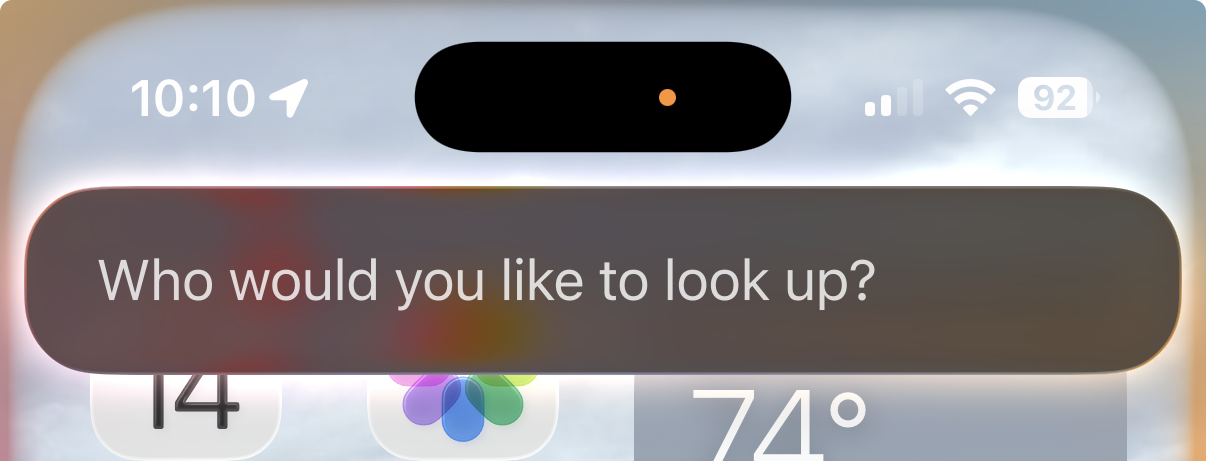
Available on iOS today with Caller ID and Siri. Android is in open beta; see below.
What's new
Know who you're about to see.
Ask about them by voice.
New on iPhone: Briefs and Ask TP Go. Written on the phone by Apple Intelligence, so nothing about the person is sent to us or anyone else.
Briefs
Tap Show brief for a short summary of anyone before a visit or call: who they are, their family, their groups, open tasks, and what recent notes say.
It only uses what that staff member can already see in TouchPoint®.
Ask TP Go
Say “Hey Siri, Ask TP Go” and ask questions about someone, or call, text, and email them by voice.
A church can turn it off on its dashboard.
How it works
Quick to set up, easy to use
One flat annual fee, unlimited staff. No IT tickets, no configuration.
Subscribe
Sign up and enter your church's TouchPoint® domain. One flat annual fee, unlimited staff.
Deploy to your team
Chrome/Edge, iOS & Android: Staff install directly, ready in seconds.
Outlook & Teams: Your M365 admin uploads a small file and Microsoft deploys it to staff.
Staff signs in
Each staff member enters their TouchPoint® username and password once. No IT tickets, no configuration. They're connected.
Look up and log
Look up anyone in TouchPoint® and log calls and emails, right from Outlook and your phone. No tab switching, no lost context.
Features
Built for church staff and leaders
Everything your team needs to stay connected with your congregation
Instant Lookup
Open an email in Outlook or Gmail and instantly see the sender's TouchPoint® profile. Name, phone, address, family members, member status.
Auto-Log Calls & Emails
Click a phone number or email and it automatically logs the interaction in TouchPoint® before opening the dialer or compose window.
Family Context
See spouse and family members at a glance. Handles shared emails and duplicate records with smart detection.
Per-User Authentication
Each staff member signs in with their own TouchPoint® credentials. Actions are logged as them, permissions are enforced.
Caller ID & Mobile
The iOS and Android apps identify incoming church contacts, search the directory, and log calls on the go, with Siri voice support on iOS.
Teams Calling
If Microsoft Teams is installed, choose between a regular phone call or a Teams call.
Briefs and Ask TP Go
Tap Show brief for a short summary of anyone before a visit or call: family, groups, open tasks, and recent notes. Or say “Hey Siri, Ask TP Go” and ask about them by voice. Written on the iPhone itself; nothing about the person is sent anywhere. Needs iOS 26 and Apple Intelligence.
Zero Setup Per User
Users enter their TouchPoint® username and password. That's it. No PAT tokens, no IT tickets, no configuration.
Why it's safe
Your members' information stays where it belongs.
TPxi Go connects your staff to TouchPoint®. It does not keep a copy of your church.
Member data stays in TouchPoint®
We do not store contact data, member information, or any TouchPoint® records on our servers. The proxy passes requests to TouchPoint® and does not store, cache, or log what goes through it.
Sign-ins are never stored on our servers
A staff member's sign-in is stored on their own device. We never store TouchPoint® passwords on our servers.
Their own TouchPoint® permissions
Each person signs in as themselves and actions are logged as them. Staff with restricted access, like OrgLeadersOnly, only see contacts in the groups they lead.
Briefs are written on the phone
Apple Intelligence writes each brief on the iPhone, using only what that staff member can already see. Nothing about the person is sent to us. A church can turn it off.
You choose how long a sign-in lasts
Set how long a phone sign-in lasts under Phone Sign-in on your TPxi Go dashboard.
A written incident policy
If something ever goes wrong, we email the dashboard owner of every affected church within 72 hours of confirming it. Read the policy.
Pricing
Keep it running. Pay it forward.
Your subscription covers hosting and helps us provide TPxi Go free to churches that can't afford it.
per church • unlimited users
Every dollar goes toward keeping the service running and paying it forward, helping us provide TPxi Go to churches that truly can't afford it.
- Outlook Add-in (Web, Desktop & Mobile, Microsoft 365)
- Gmail Extension (Chrome & Edge)
- Microsoft Teams personal tab
- iOS App with Caller ID & Siri
- Android App beta
- Teams Calling integration
- Unlimited staff users
- All features included & automatic updates
- No contracts, cancel anytime
Scholarship Program
We believe every church should have access to great tools. If the subscription is genuinely out of reach for your church, we want to help. Our scholarship program is funded by the generosity of subscribing churches who are paying it forward.
Request a Scholarship →Try it free
Free 30-day trial, no credit card required. Set up in 5 minutes.
Try the Android app early
Same encrypted directory + caller ID experience as iOS. We're collecting feedback before the public Play Store launch.
- Join the tester group with the Google account on your Android phone: groups.google.com/g/tpxigo-testersWe don't see your email. Google manages membership.
- Wait ~1 minute for Google to register membership.
- Install on Android using the buttons below.
Hit a bug? Email support@tpxigo.com with the issue and your phone model.
FAQ
Frequently asked questions
Does this work with any TouchPoint® database?
What platforms are supported?
Is our data secure?
How many staff can use it?
Can staff see giving information?
Does it respect TouchPoint® permissions?
Do I need admin access to set it up?
Does it work with TouchPoint® SSO (Single Sign-On)?
What are Briefs and Ask TP Go?
What about the mobile apps?
Questions?
We'd love to help you get started. Reach out and we'll get back to you quickly.
Email support@tpxigo.comOr if you're ready to dive in, set up your free trial. No credit card required.
Ready to connect your team?
Free 30-day trial, no credit card required. Set up in 5 minutes.
Get Started FreeBuilt exclusively for churches using
TouchPoint® Church Management SoftwareDon't have TouchPoint® yet? Learn more at touchpointsoftware.com